Service Architecture
Operations Design
Systems Design
Re-imagining the Global Digital Asset Ecosystem
Service Architecture & Operational Deep Dive
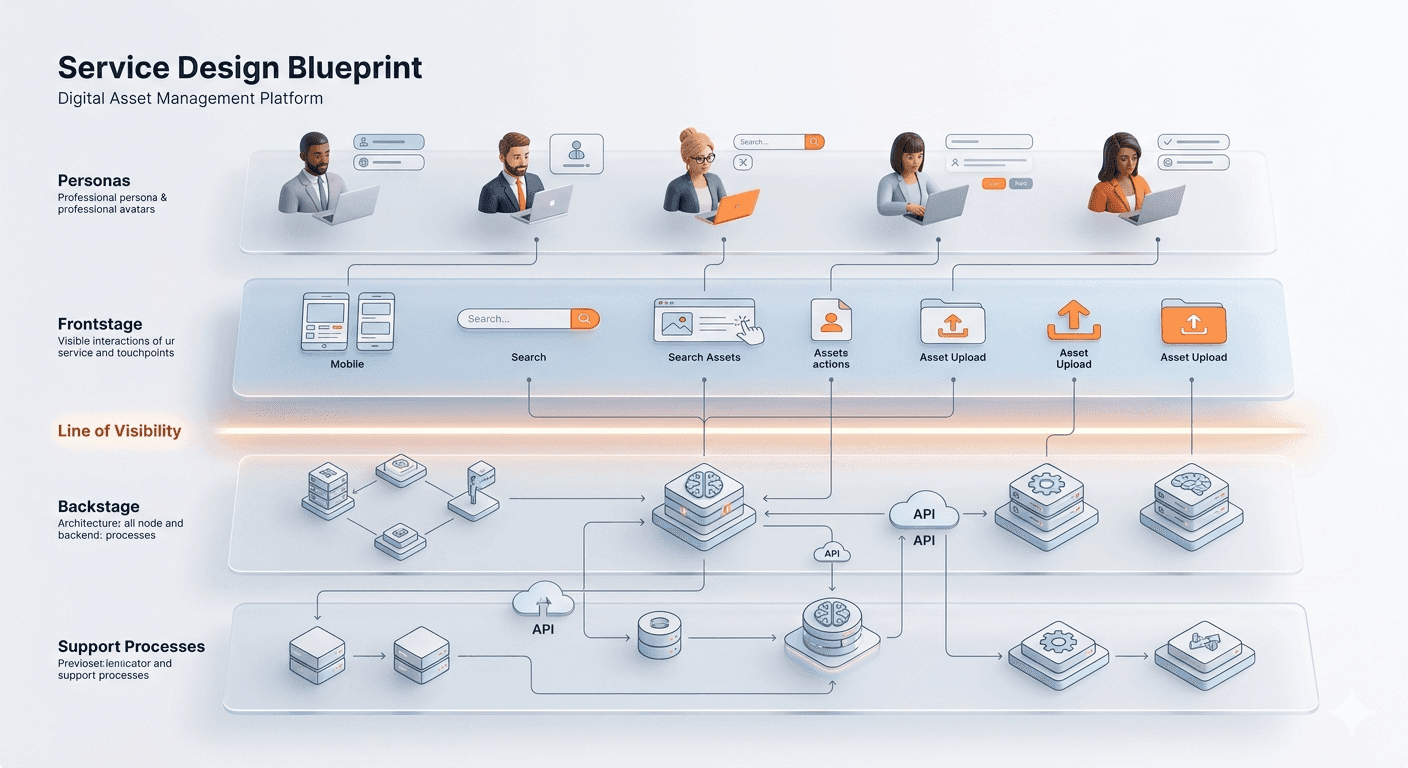
The Service Blueprinting Methodology
I used a four-lane blueprinting methodology to ensure that every user action was supported by a robust technical process. This allowed me to bridge the gap between human needs and system capabilities.
User Actions: The behavioral steps taken by employees or guest contributors.
Frontstage (Visible): The redesigned UI touchpoints including the Search Sidebar, Upload Inspector, and Guest Portal.
Backstage (Invisible): The internal logic, such as AI-assisted metadata generation, automated approval routing, and secure token refresh.
Support Processes: The foundational infrastructure, including encryption, universal cloud connectors, and version control systems.
Operational Analysis: The "Finding & Downloading" Flow
This blueprint analyzes the journey of an internal employee – from the initial login to the final asset integration.
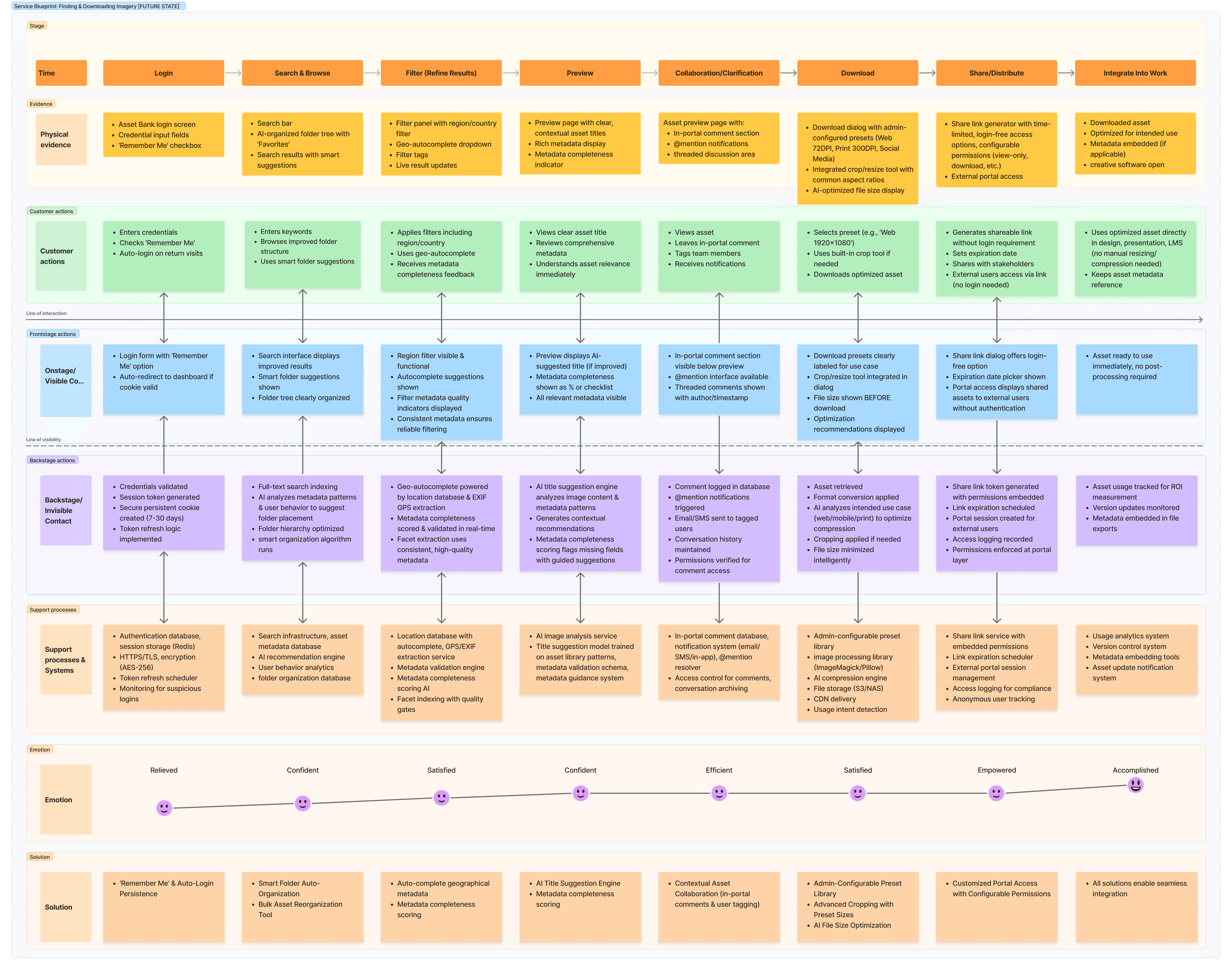
Key Systemic Transformations:
Authentication & Access: To resolve the "Session Timeout" pain point, the blueprint introduces Secure Persistent Cookies and Token Refresh Logic in the Backstage. This enabled a "Remember Me" option and auto-redirects to the dashboard if a cookie is valid.
Context-Aware Search: To fix the "Search Abyss," the Backstage now utilises a Metadata Validation Engine and Smart Organisation Algorithms. In the Frontstage, this translates to geo-autocomplete suggestions and regional filter tags.
In-Portal Collaboration: To pull feedback out of external emails, the blueprint introduces @mention interface and threaded discussion areas directly below the asset preview.
Operational Analysis: The "Contributor" Flow
This blueprint maps how internal assets enter the system, focusing on moving from a brittle, linear process to a flexible, non-linear workflow.
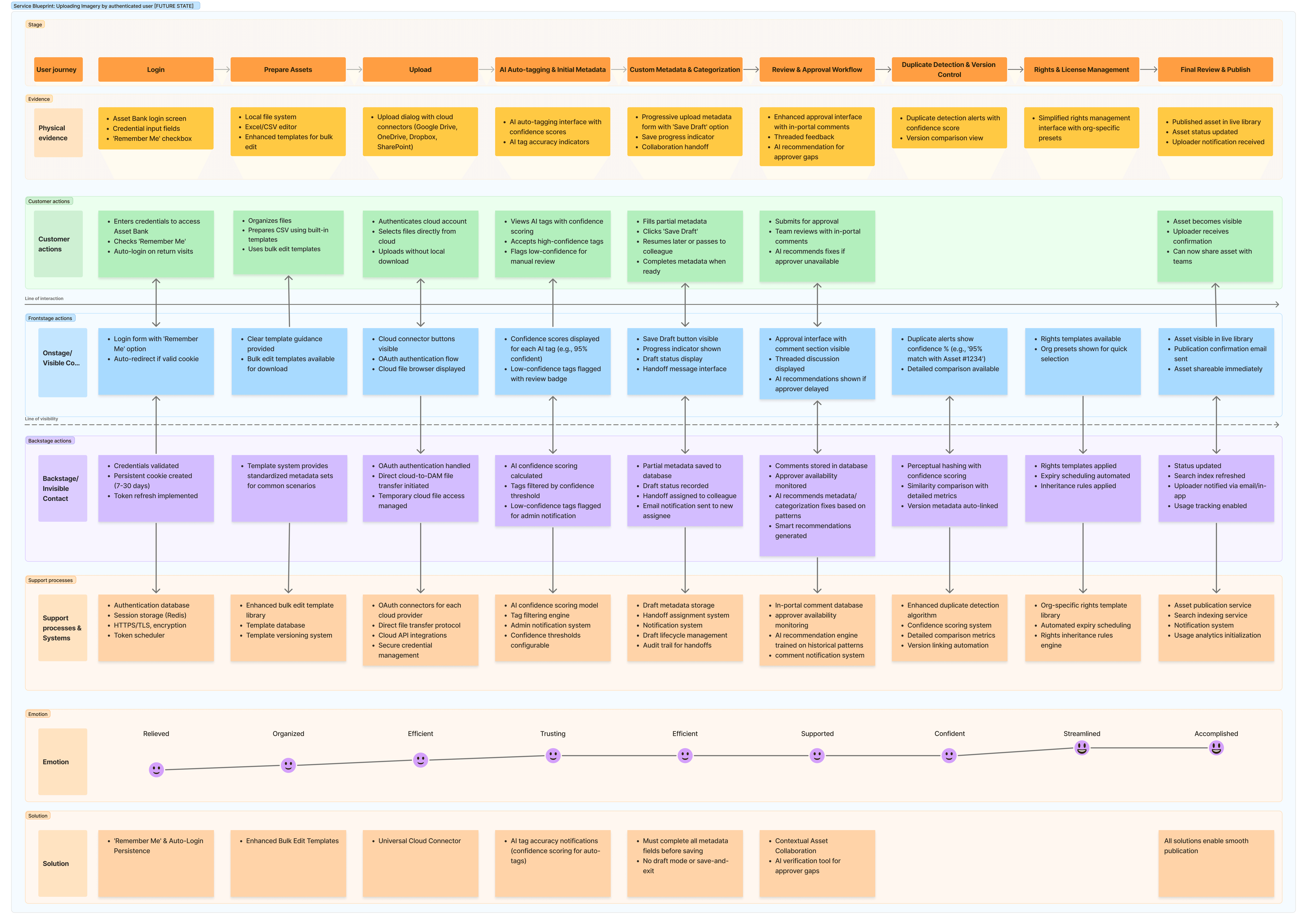
Key Systemic Transformations:
Direct Cloud Ingestion: To remove the "Local Drive" constraint, the Support Processes now include OAuth connectors for OneDrive, Google Drive, and SharePoint. This allowed users to select files directly from the cloud without manual downloading.
The "Draft Mode" Safety Net: One of the most critical fixes was the introduction of a "Save Draft" button and Draft Metadata Storage. This allowed users to save progress and resume later, effectively solving the risk of data loss during long uploads.
AI Metadata Trust: Rather than relying on hidden tags, the Frontstage now displays AI Confidence Scores. This allowed users to flag low-confidence tags for manual review, ensuring metadata quality at the point of ingestion.
Innovation: The Guest Upload Portal
A dedicated service blueprint was created to facilitate external partner contributions without compromising organisational security.
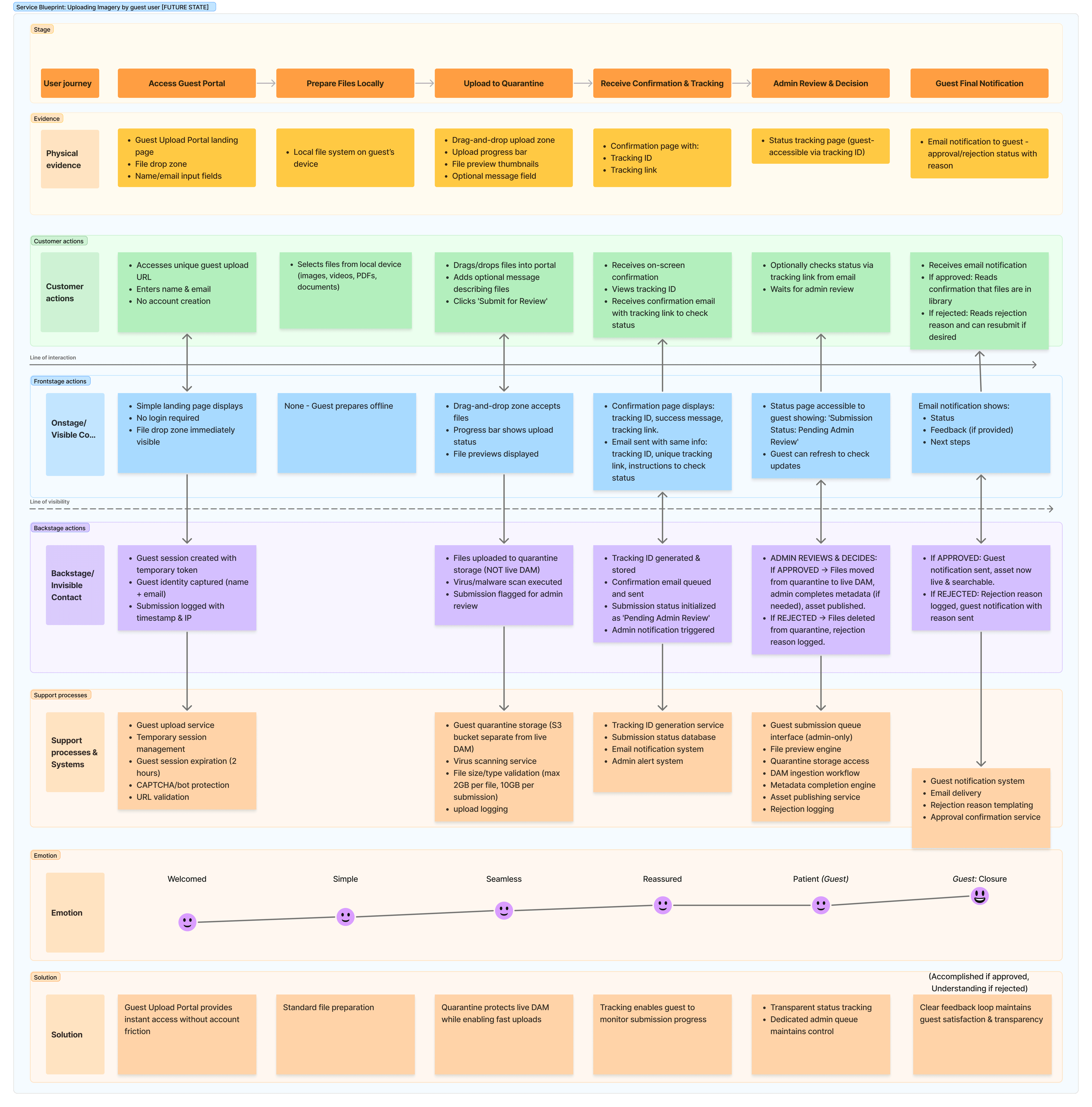
Key Service Innovation:
Zero-Account Friction: External guests could access a unique upload URL without account creation. The Backstage captures the guest identity (Name/Email) and logs the submission with a timestamp and IP for security.
The Quarantine Workflow: To protect the live DAM, guest uploads are sent to a Quarantine Storage (S3 bucket) separate from the live environment. Assets only move to the live library after a formal Admin Review & Decision process.
Transparent Tracking: Guests receive a Tracking ID and a link to check their submission status, maintaining a clear feedback loop without requiring platform access.
Summary of Systemic Shifts
By blueprinting these 15 pain points, I identified that the UI was only the tip of the iceberg. The real solution required re-architecting the relationship between user intent and system support.
Problem Area | AS-IS Logic | TO-BE Service Logic |
|---|---|---|
Authentication | 30-minute hard timeout | Secure persistent cookies (7-30 days) |
Search | Folder-tree hierarchy | Smart folder auto-organization & geo-filters |
Uploads | Local drive only; linear | Cloud connectors; non-linear "Save as Draft" |
Metadata | Inconsistent manual entry | AI suggestion engine with confidence scoring |
Guest Access | Blocked/Manual account creation | Token-based portal with Quarantine storage |
‹ Back to case study