Service Design
Product Design
Re-imagining the Global Digital Asset Ecosystem
From Fragmented Silos to a Strategic Vision for Olam Agri
Role: Product & Service Designer
Duration: 6 months (self-initiated)
Key Impact: Research and high-fidelity vision directly influenced $70,000 global platform decision, accelerating vendor selection by ~3 months – Bynder onboarded as global platform during Q4 2025.
15 Pain Points Identified
5 Personas Analysed
2 Detailed User Journeys
5 Service Blueprints
24 High-fidelity Mockups
The Challenge
Olam Agri relied on 'Asset Bank', a Digital Asset Management (DAM) portal, to centralise visual assets for communications, marketing, and branding. Despite its strategic importance, the platform frustrated users across multiple functions: Design, HR, Global & Regional Communications, Marketing, Brand Management, and Sales.
Problem Statement:
How might we redesign the DAM portal to help global teams efficiently discover, upload, manage, and collaborate on visual assets while maintaining brand consistency?
My Approach:
I proactively initiated this service design exploration to systematically understand user needs, identify root causes of workflow issues, and propose strategic recommendations.
Research & Discovery
Methodology: Qualitative observational research + informal interviews + workflow analysis
Approach:
Given my position within the organisation, I used contextual research methods that were better suited to the environment than formal moderated interviews, observing real workflows as they happened rather than reconstructing them in a session.
Observations during global communications team meetings
Informal conversations with colleagues regarding their use of Asset Bank
Note-taking on recurring complaints and workarounds users mentioned
Analysis of how different teams were sourcing, managing, and sharing assets
Key Findings
User Personas
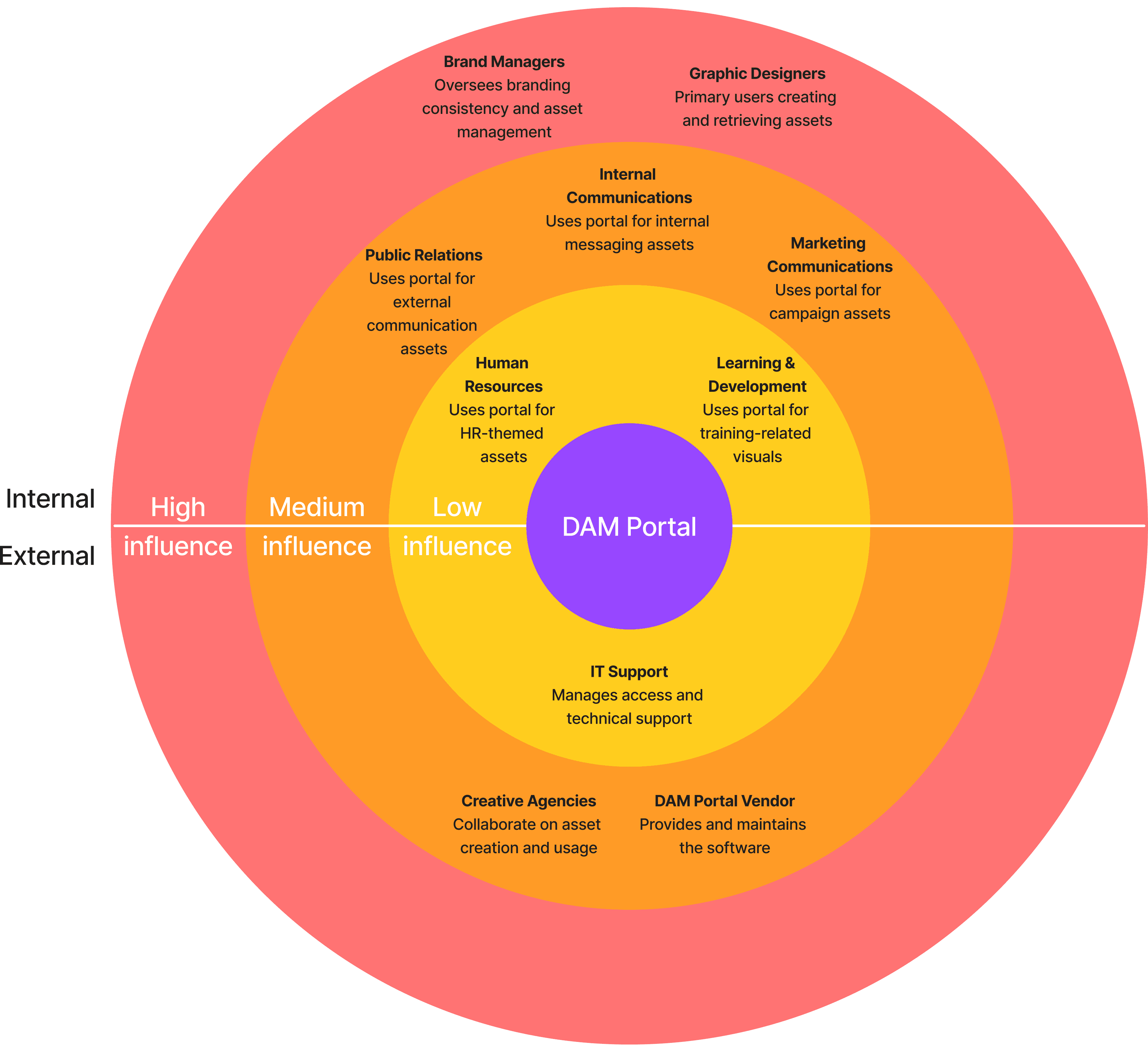
Based on direct observation, I identified five key roles with specific operational needs:

Alex, Design
Needs rapid regional filtering and persistent login to stop session timeouts.

Hannah, HR and L&D
Needs easy theme categorisation (e.g., Sustainability) and flexible formats for LMS.

George, Corporate Comms & PR
Needs clear usage rights and efficient bulk downloading.

Sam, Marketing Comms
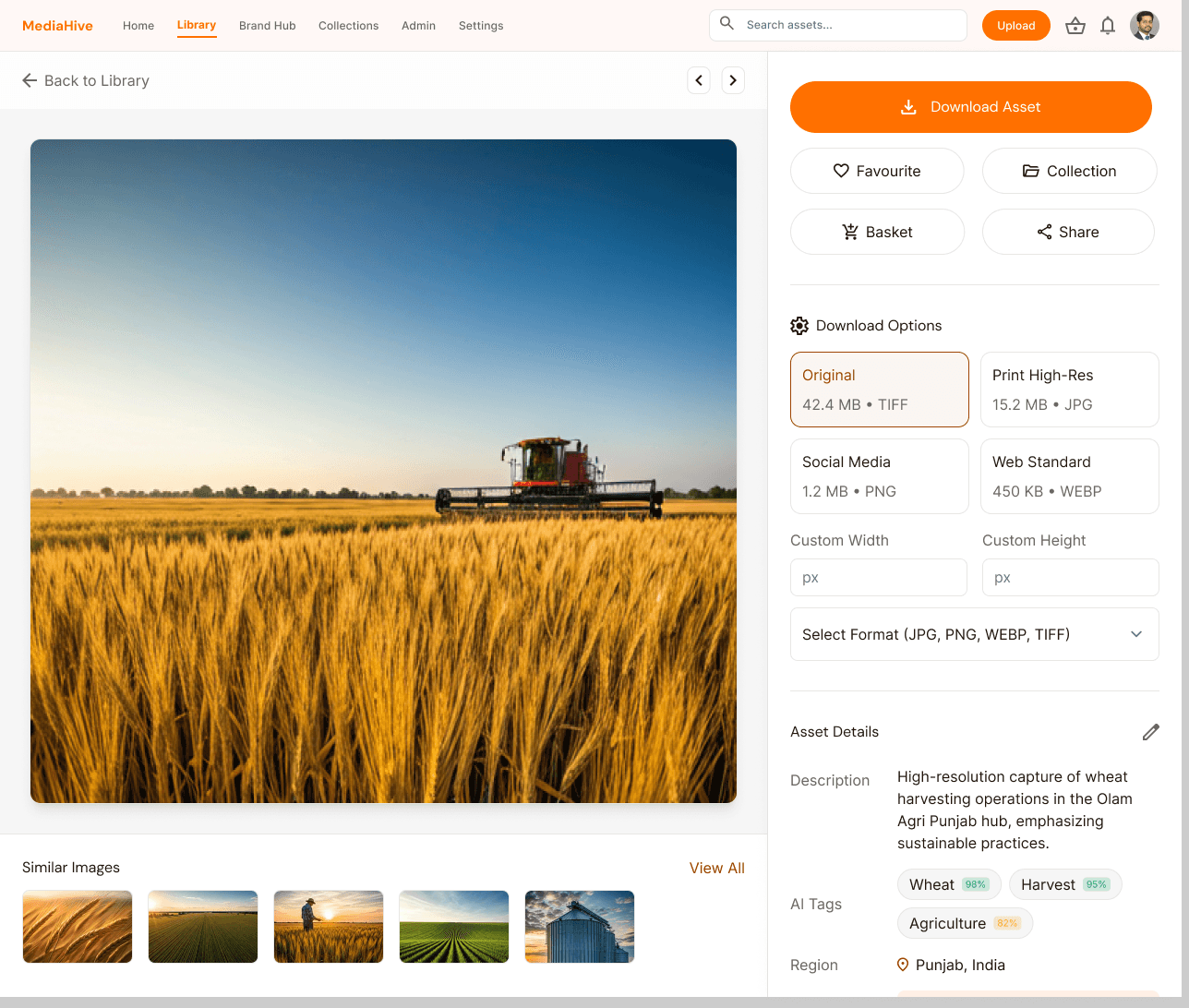
Needs multi-format exports for social media and transparent social rights.

Maya, Branding
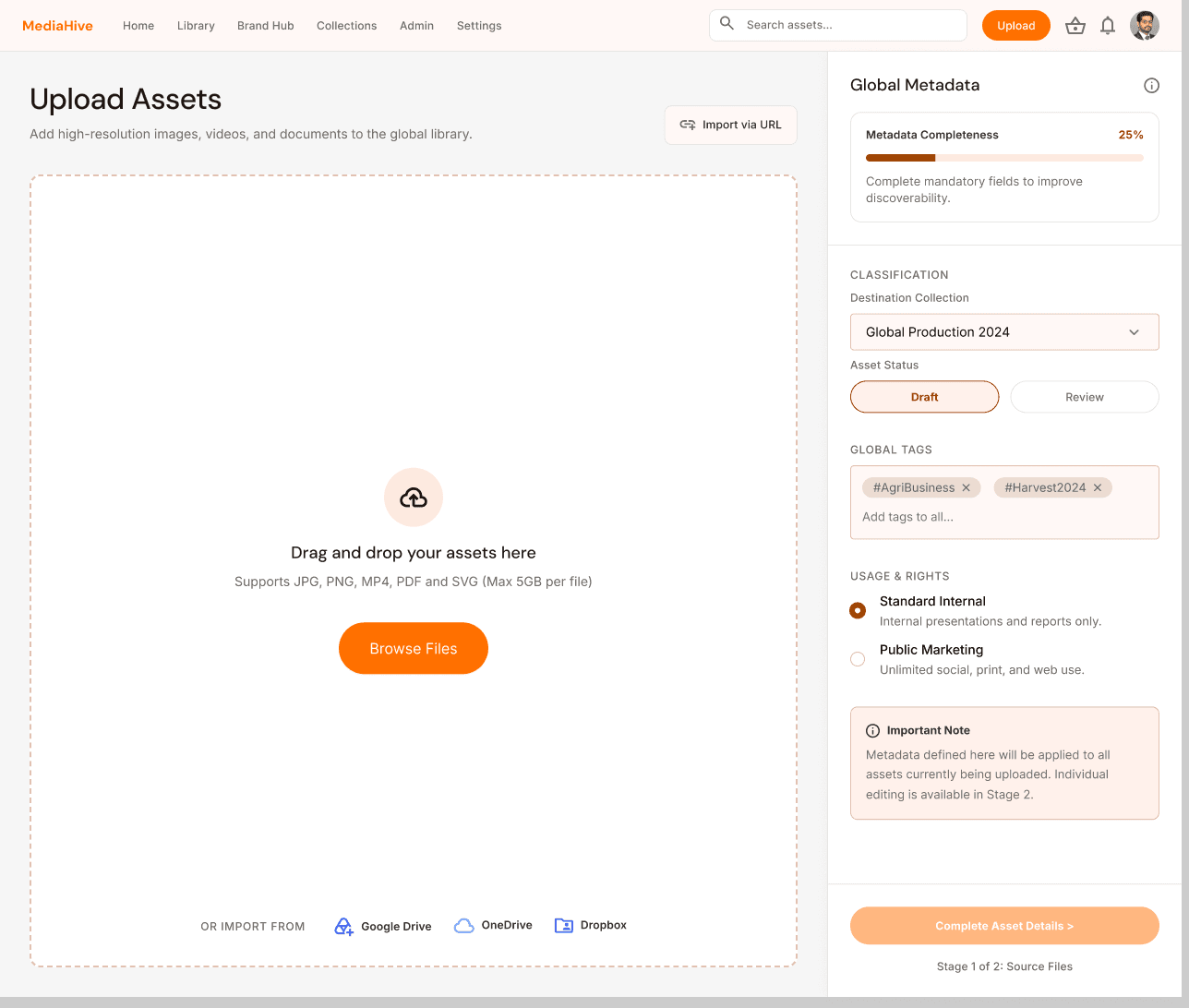
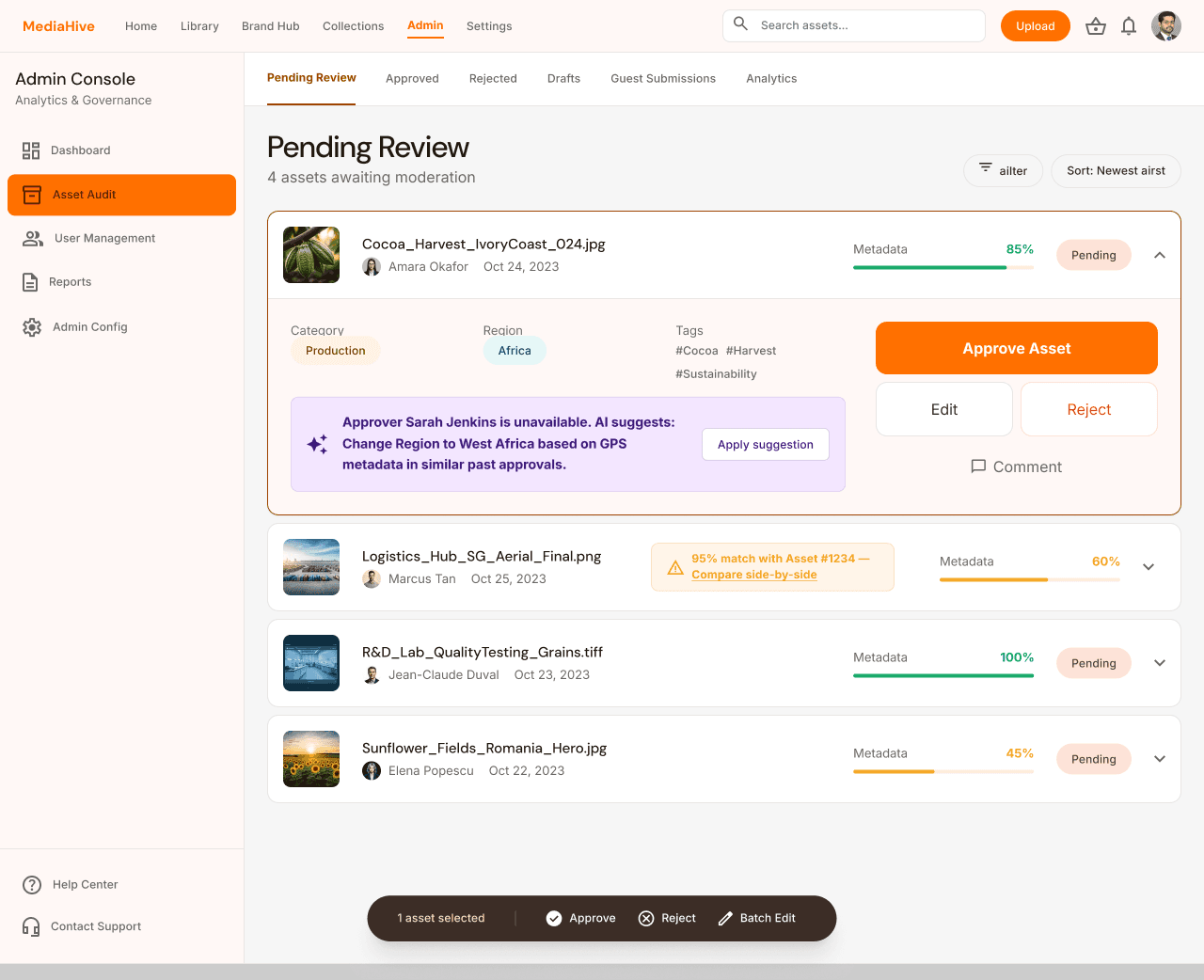
Needs cloud connectors, "Save as Draft" functionality, and a streamlined approval trail.
15 critical issues were grouped into 6 clusters:
These clusters became the backbone for the solution design and prioritisation
Session & Access:
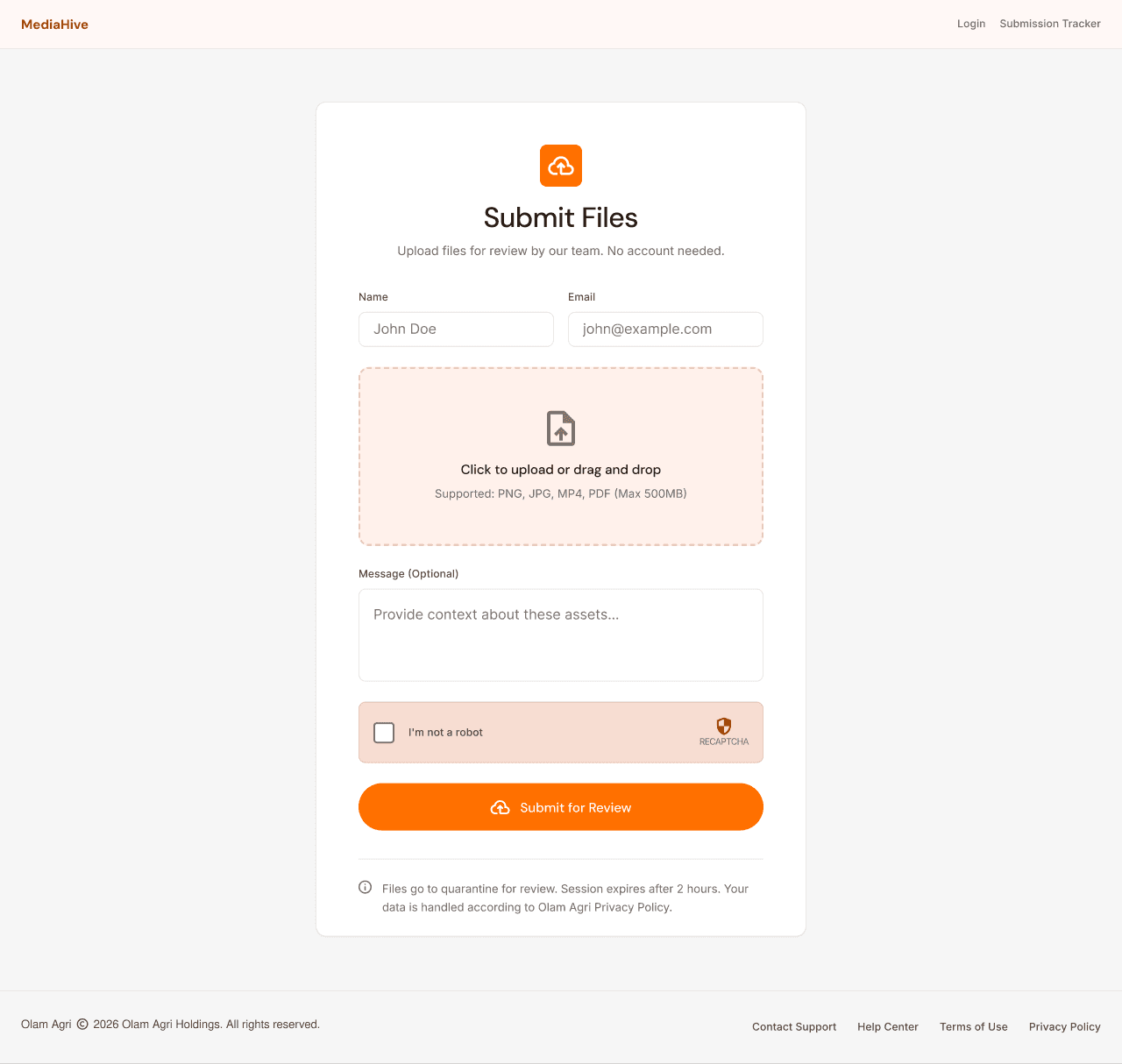
Login friction and barriers to external collaboration
Navigation & Organisation:
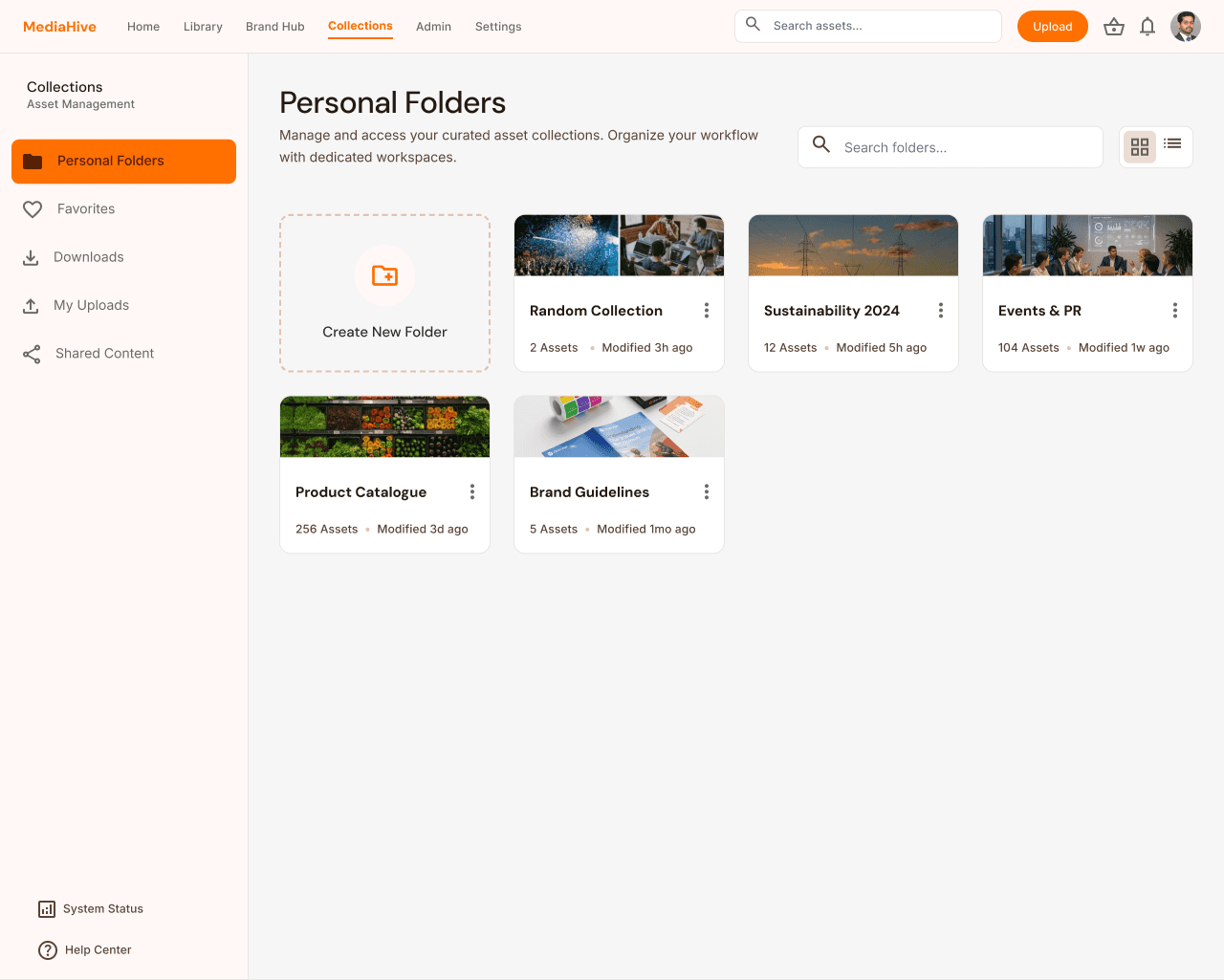
Confusing folder structures and missing region-level filters
Search & Discovery:
Inefficient refinement workflows and unreliable AI tags
Upload Process:
Rigid workflows with no draft mode or cloud support
Download & Output:
Limited format flexibility and manual cropping requirements
Collaboration & Feedback:
Lack of in-portal communication, causing delays
Service Design Artifacts
I developed detailed artifacts to analyse the "backstage" processes that were causing "frontstage" issues
1. User Journey Mapping
Journey 1: Finding & Downloading (8 Stages)
Highlighting friction in search refinement and post-download manual processing.
Log In
Search & Browse
Filter (Refine Results)
Preview
Collaboration/ Clarification
Download
Share/ Distribute
Integrate Into Work
Design opportunities from this journey:
Improve navigation and filters so users can trust search results instead of guessing.
Surface clear titles, metadata, and usage rights at preview time to cut down on rework.
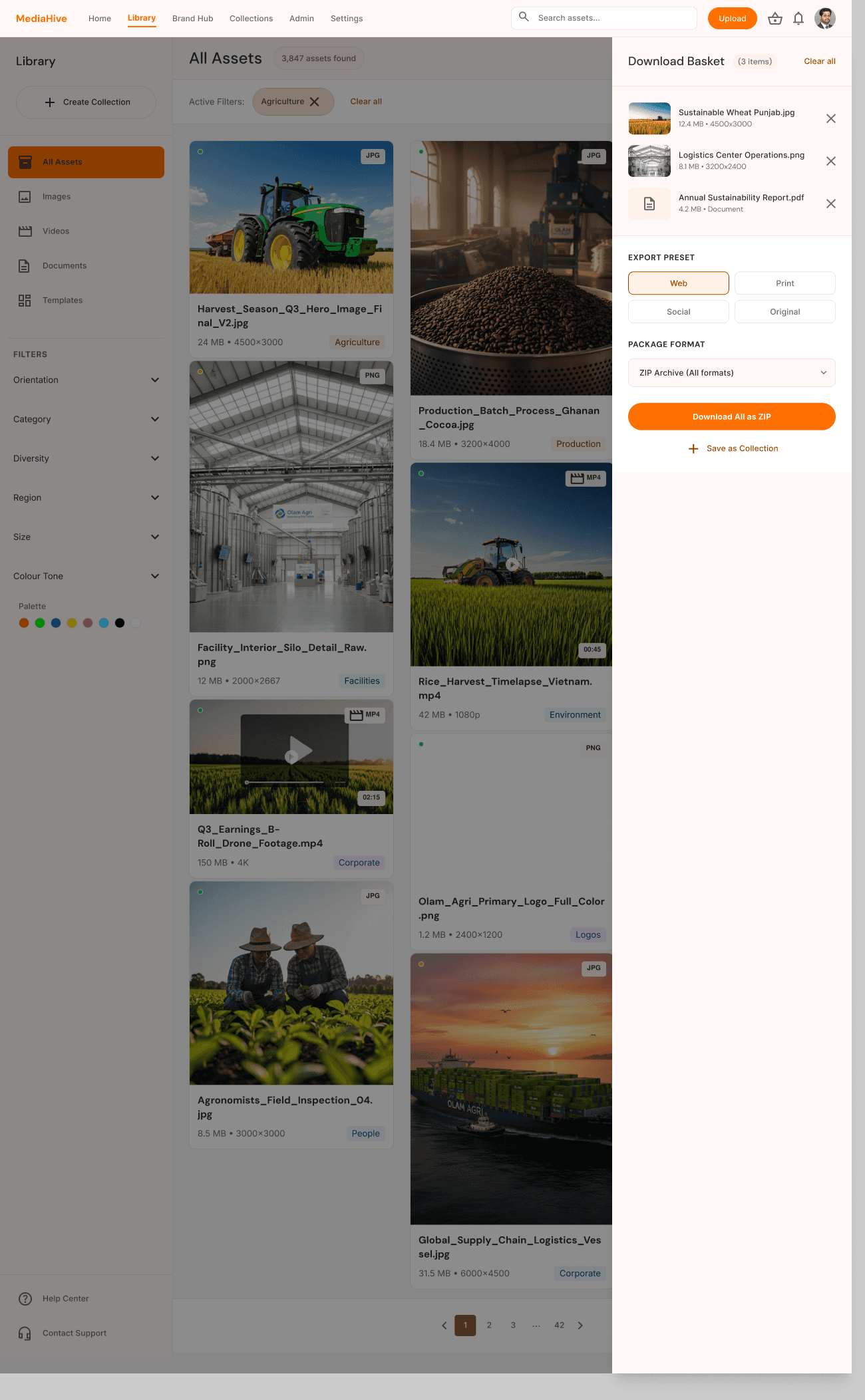
Provide ready‑to‑use download presets to remove repetitive post‑processing.
Journey 2: Uploading (9 Stages)
Highlighting a brittle workflow that lacked draft saves and cloud support.
Log In
Prepare Assets
Upload
Auto-tag & Metadata
Custom Metadata & Categorisation
Review & Approval Workflow
Duplicate Detection & Version Control
Rights & License Management
Final Review & Publish
Design opportunities from this journey:
Introduce cloud upload and save‑as‑draft so contributors can work in smaller chunks and hand off work.
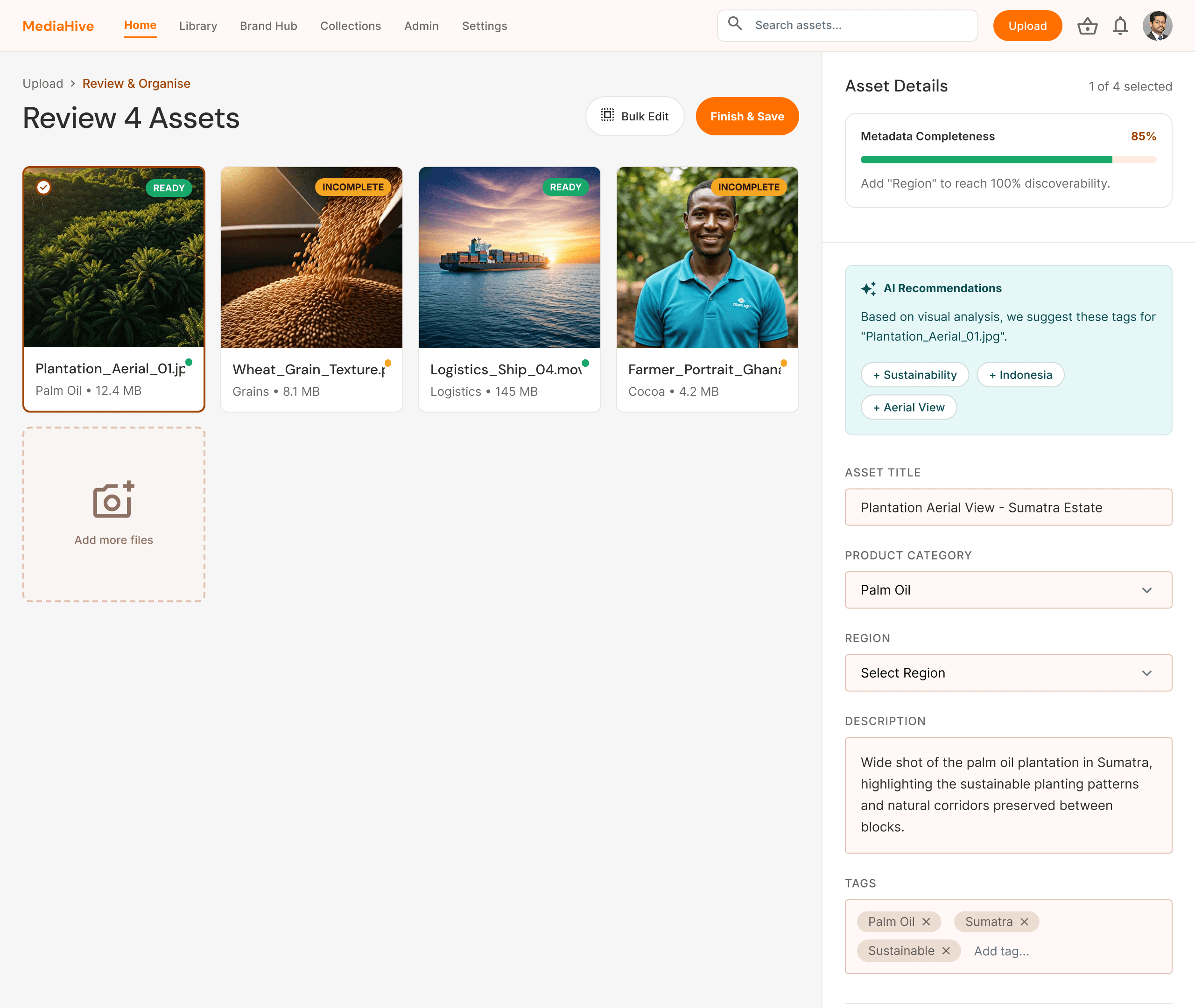
Support AI‑assisted tagging and metadata guidance to reduce cognitive load.
Clarify approval responsibilities and status to avoid blockers and duplicate content.
2. Solution Strategy & Roadmap
Based on the journey breakdowns, I developed a plan to bridge the gap between user frustration and business goals.
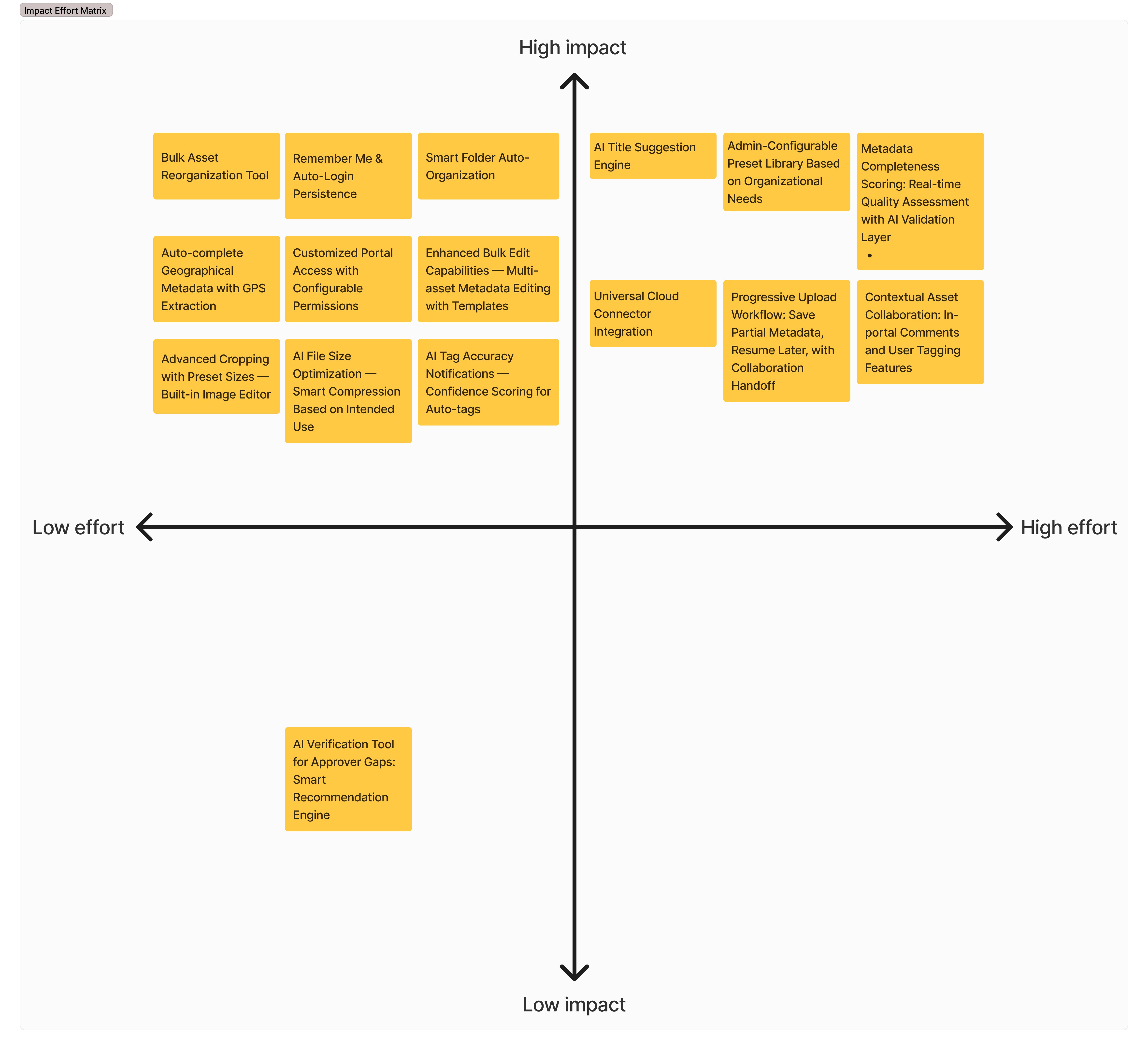
I used a traceability matrix to map all 15 critical pain points directly to 16 functional solutions. By mapping them on an Impact-Effort Matrix, I plotted a roadmap to prioritise the development phase:
9 Quick Wins (High Impact / Low Effort): Immediate relief via persistent login, image-based thumbnails, and download presets.
6 Strategic Projects (High Impact / High Effort): Long-term transformation through universal cloud connectors and an AI-assisted metadata engine.
1 Maintenance Task: Low-priority administrative adjustments.
3. Service Blueprints
I created AS-IS and TO-BE service blueprints for each core workflow — mapping not just what users experienced, but what was happening in the backstage processes that caused those experiences.


I created AS-IS and TO-BE blueprints for both authenticated and guest users. The blueprints helped move the discussion from “the UI is painful” to “the service as a whole is failing in specific places”.
UX/UI Design
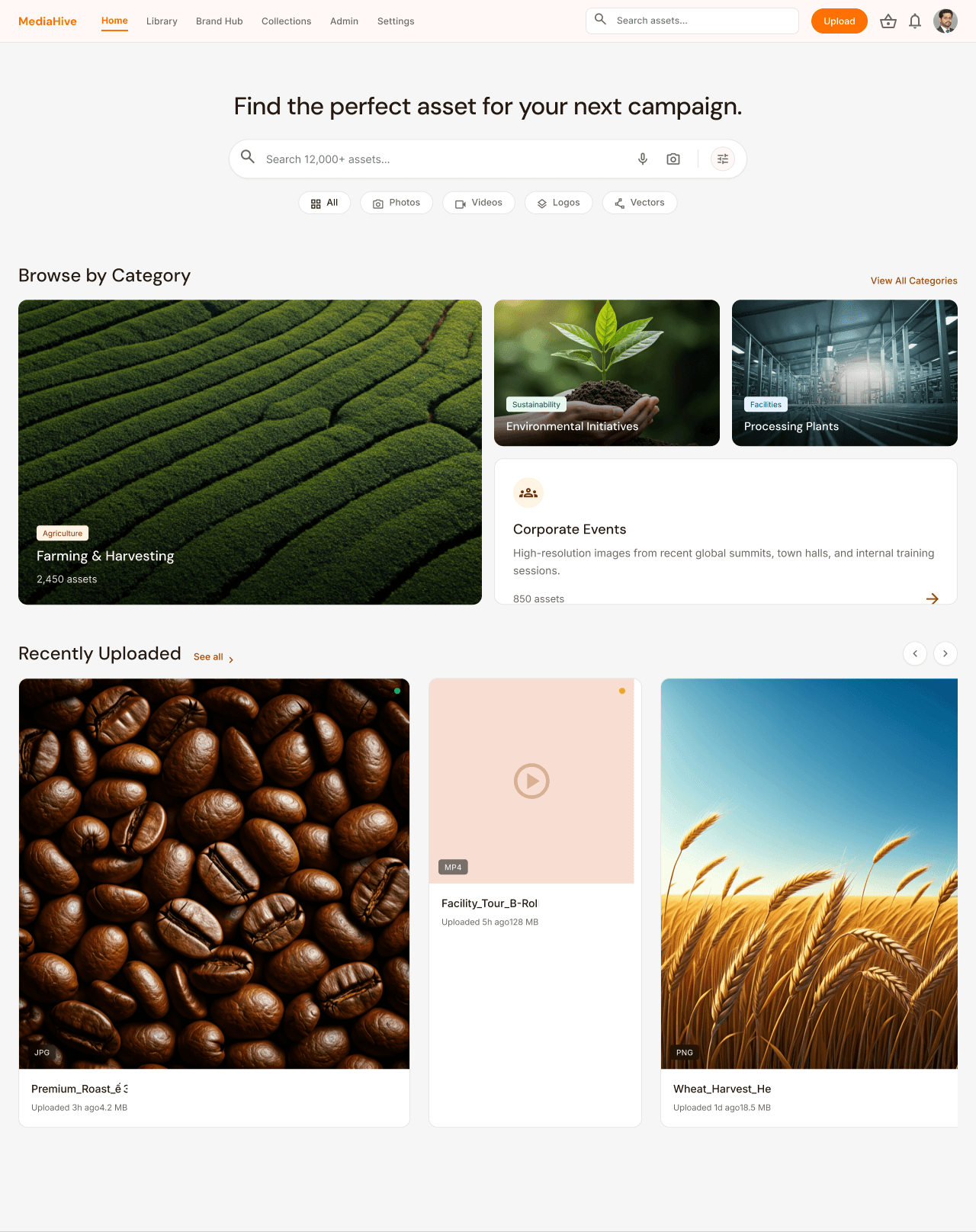
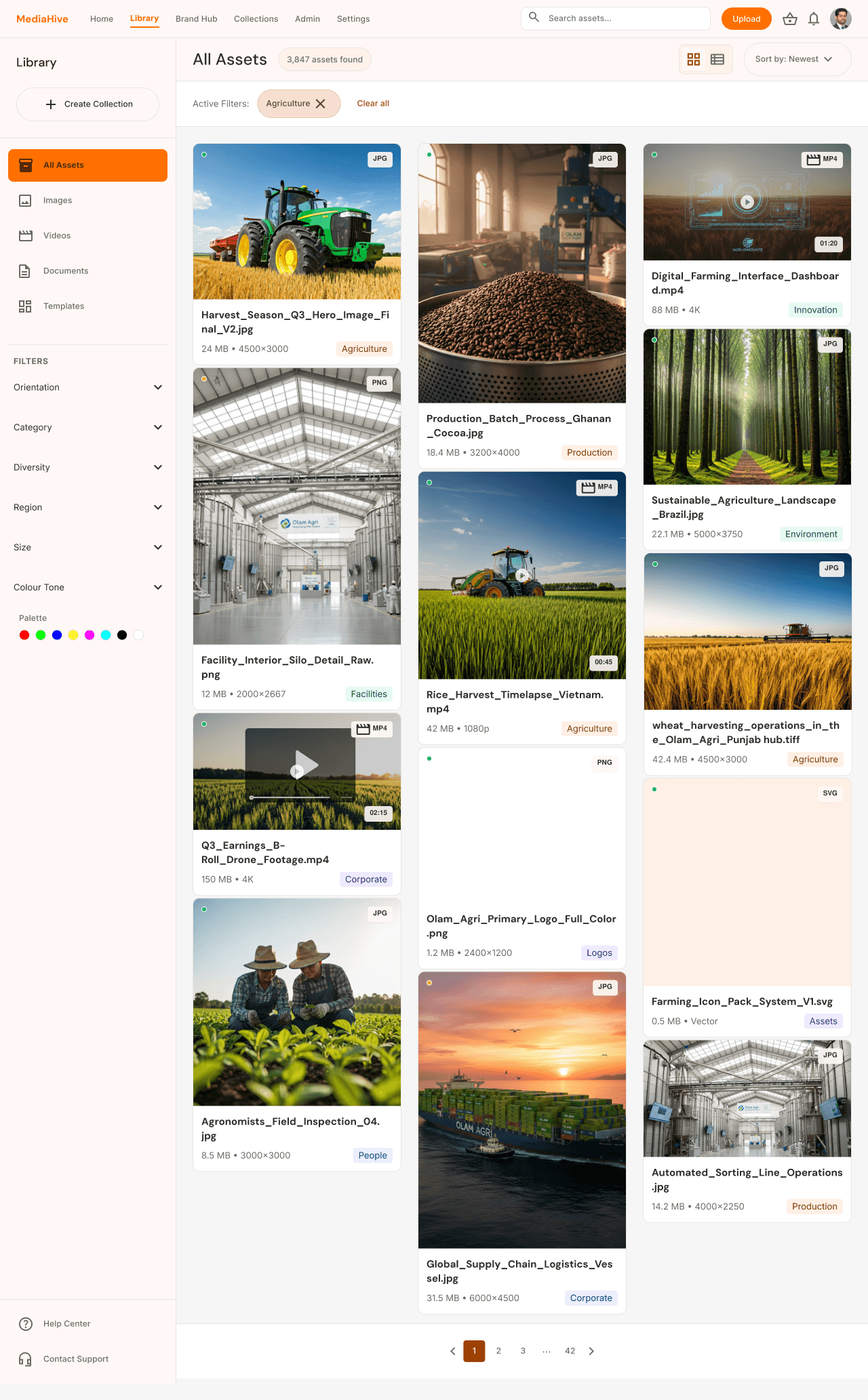
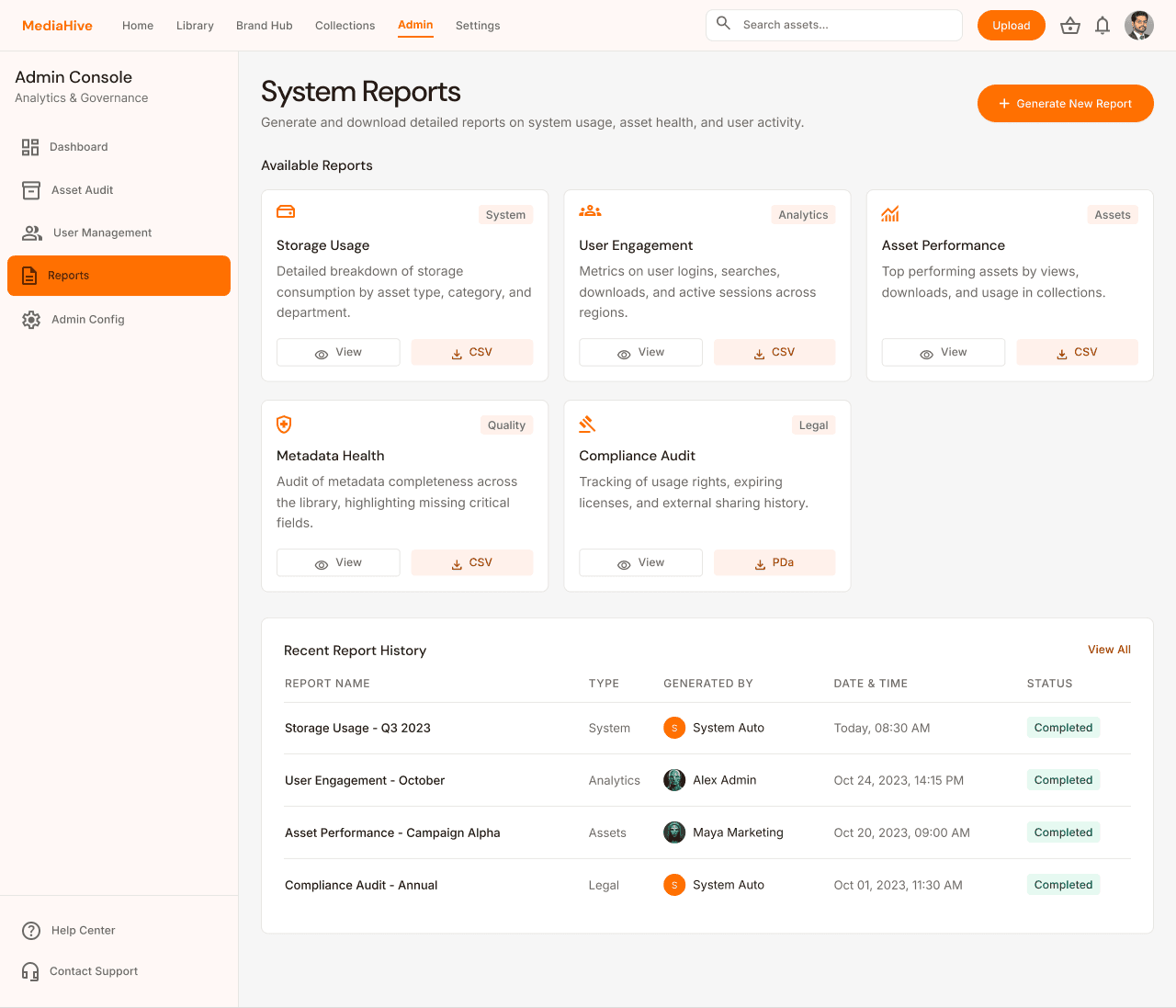
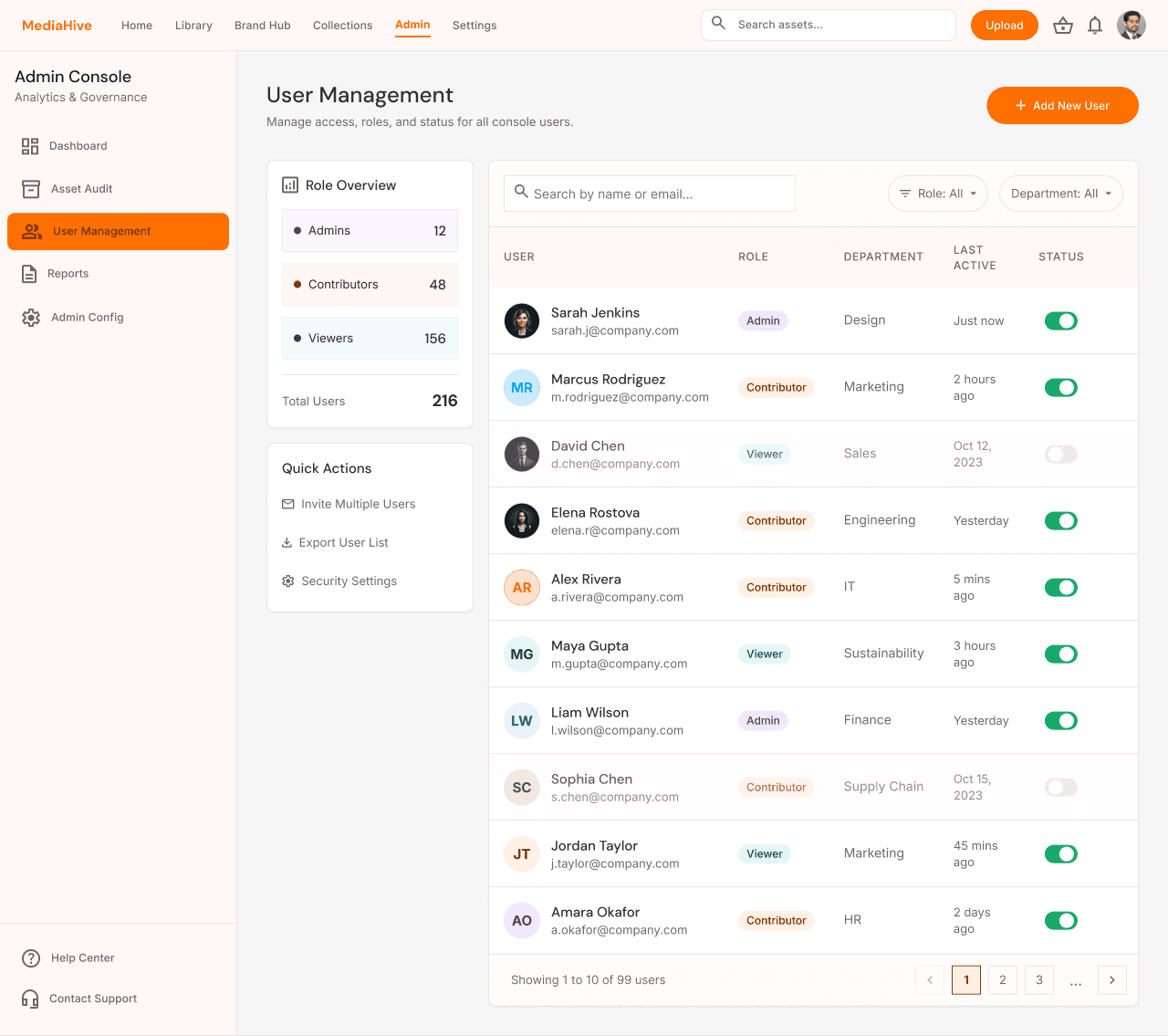
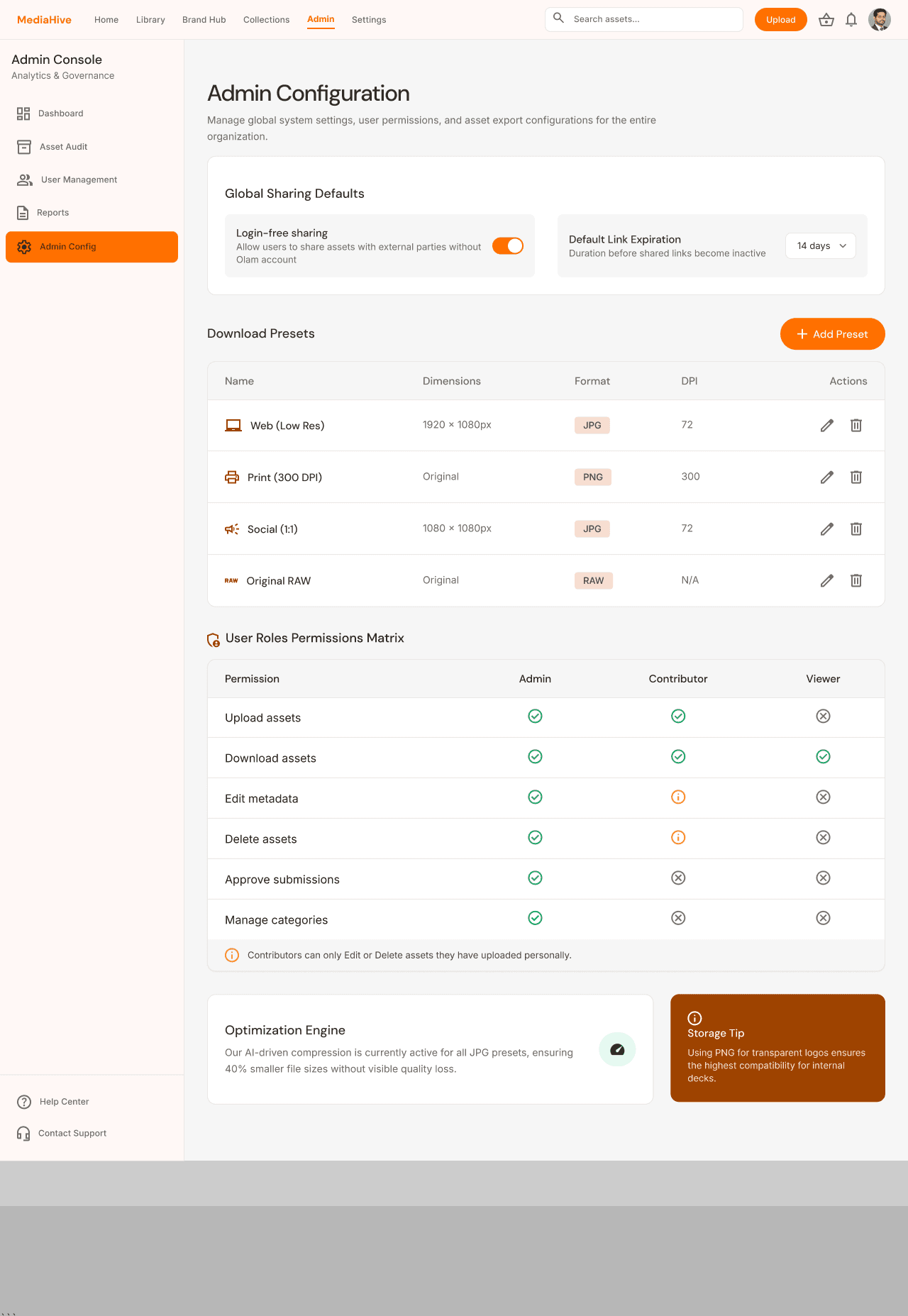
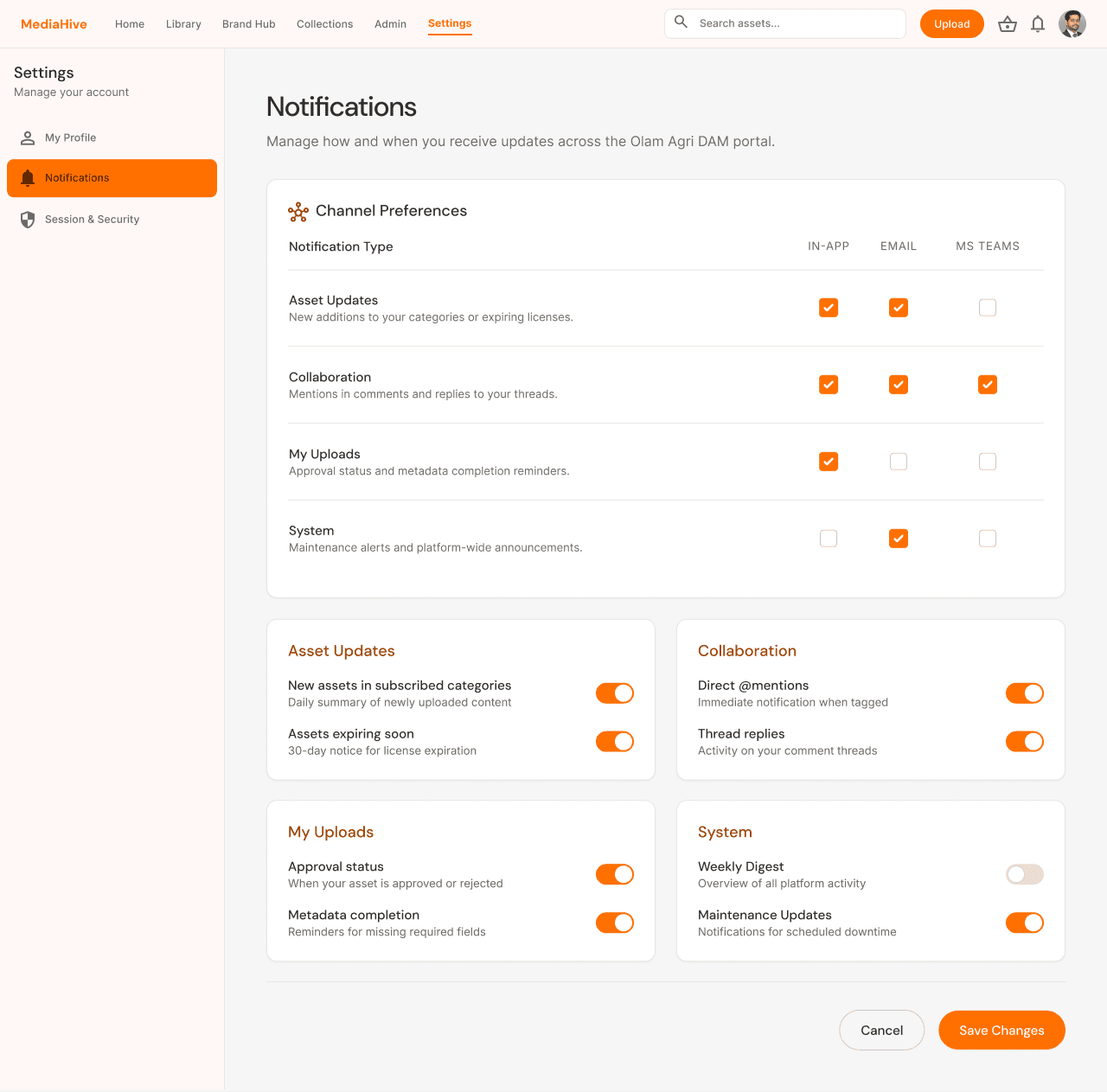
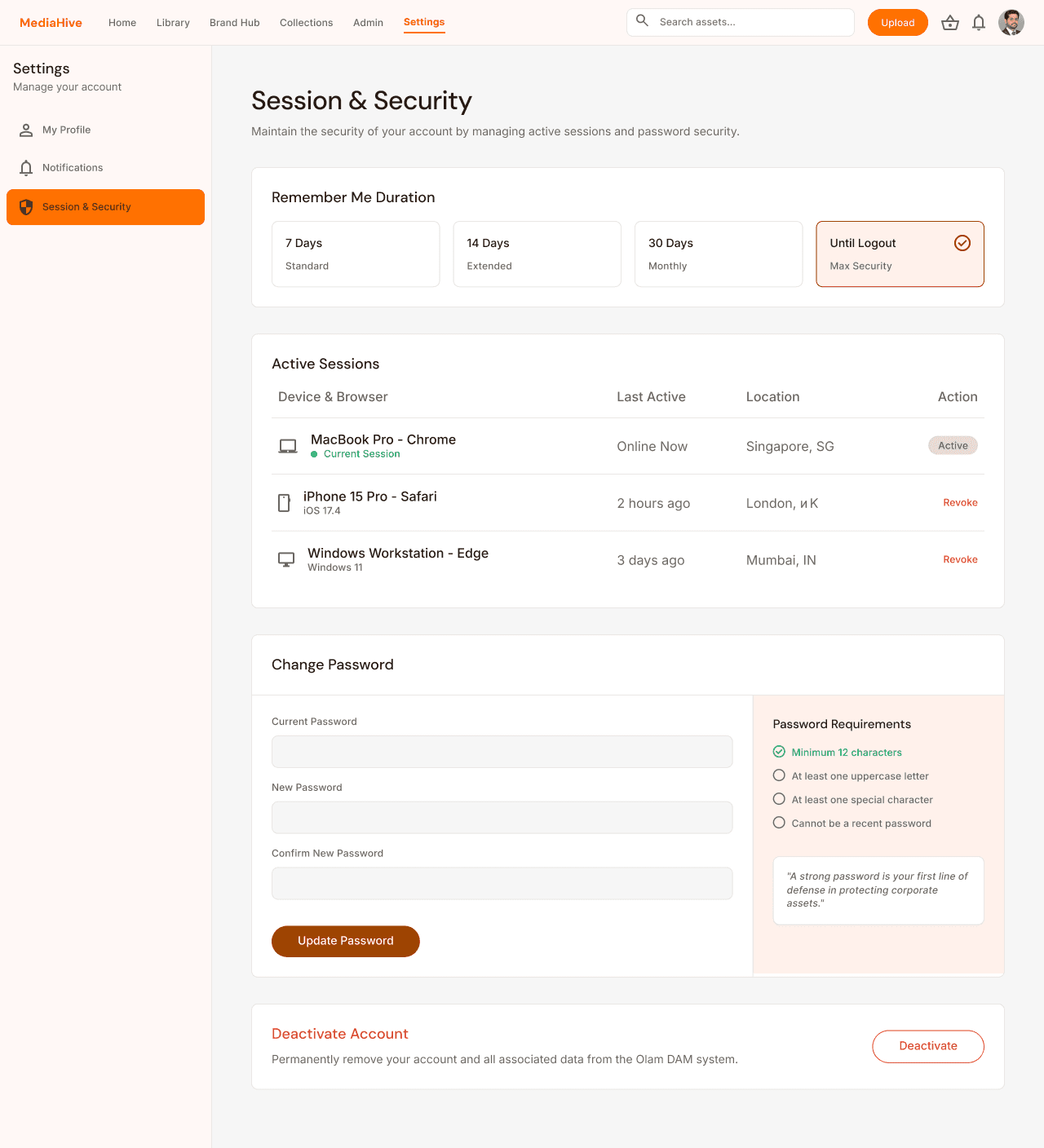
The service design analysis was translated into high‑fidelity UI concepts
Outcome & Impact
Presenting 15 documented pain points alongside 24 high-fidelity mockups gave leadership a concrete, visual case for change; shifting the conversation from 'the portal is frustrating' to 'here is exactly what needs to change and what the alternative looks like.' The work directly informed the vendor evaluation process that led to Bynder's global selection.